
Safari Capture
Capture specific elements from any website
A Safari extension for macOS that lets you screenshot, copy, or extract any element from a webpage.

Requires macOS 12.0+ and Safari 16.0+
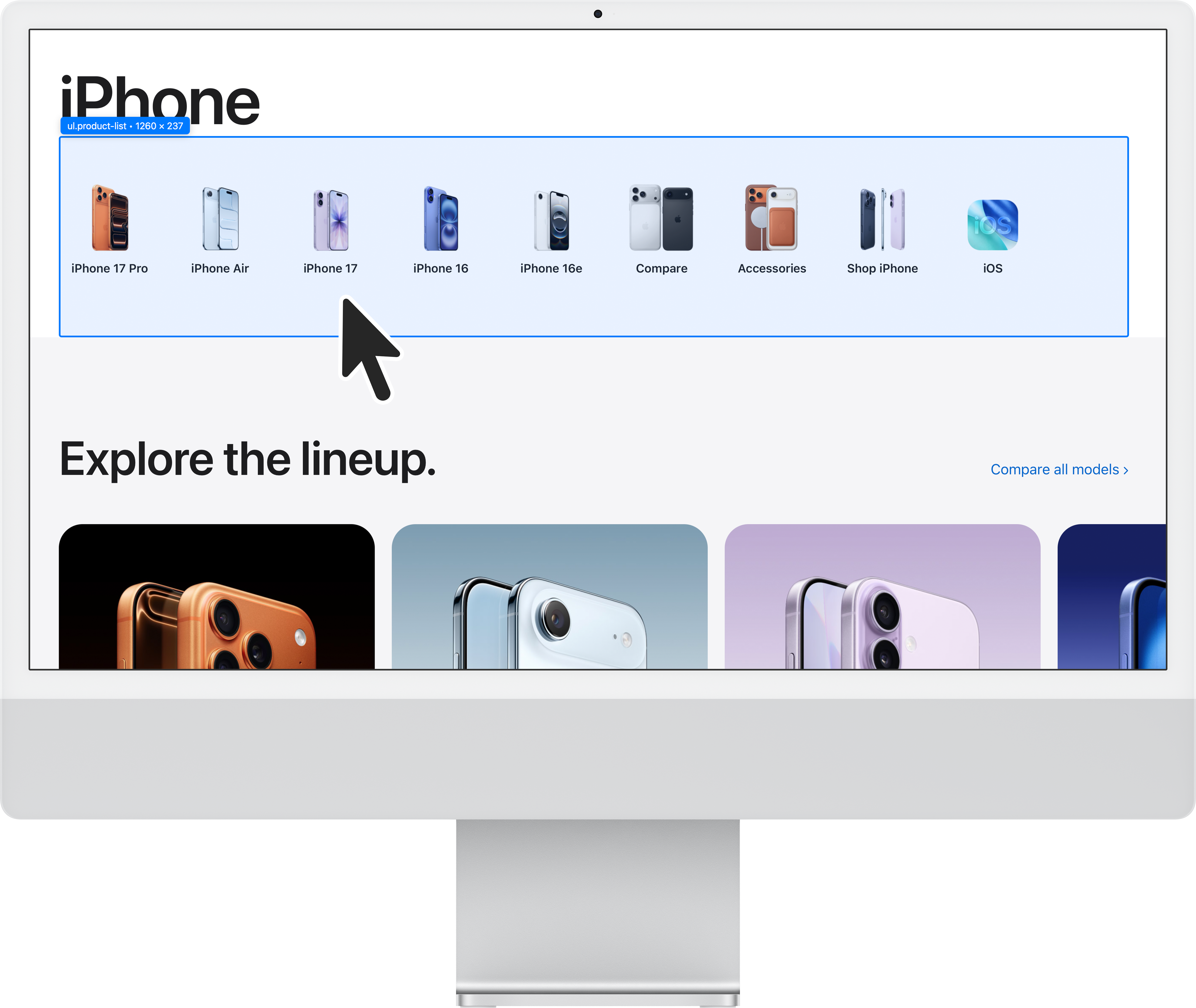
Capture specific elements from any website
A Safari extension for macOS that lets you screenshot, copy, or extract any element from a webpage.
Requires macOS 12.0+ and Safari 16.0+
Everything you need to capture web content, your way.
Capture any element as a high-quality PNG image. Perfect for saving designs, charts, or any visual content.
Instantly copy any element to your clipboard. Paste directly into documents, messages, or design tools.
Extract the source code of any element. Great for developers and designers who need the markup.
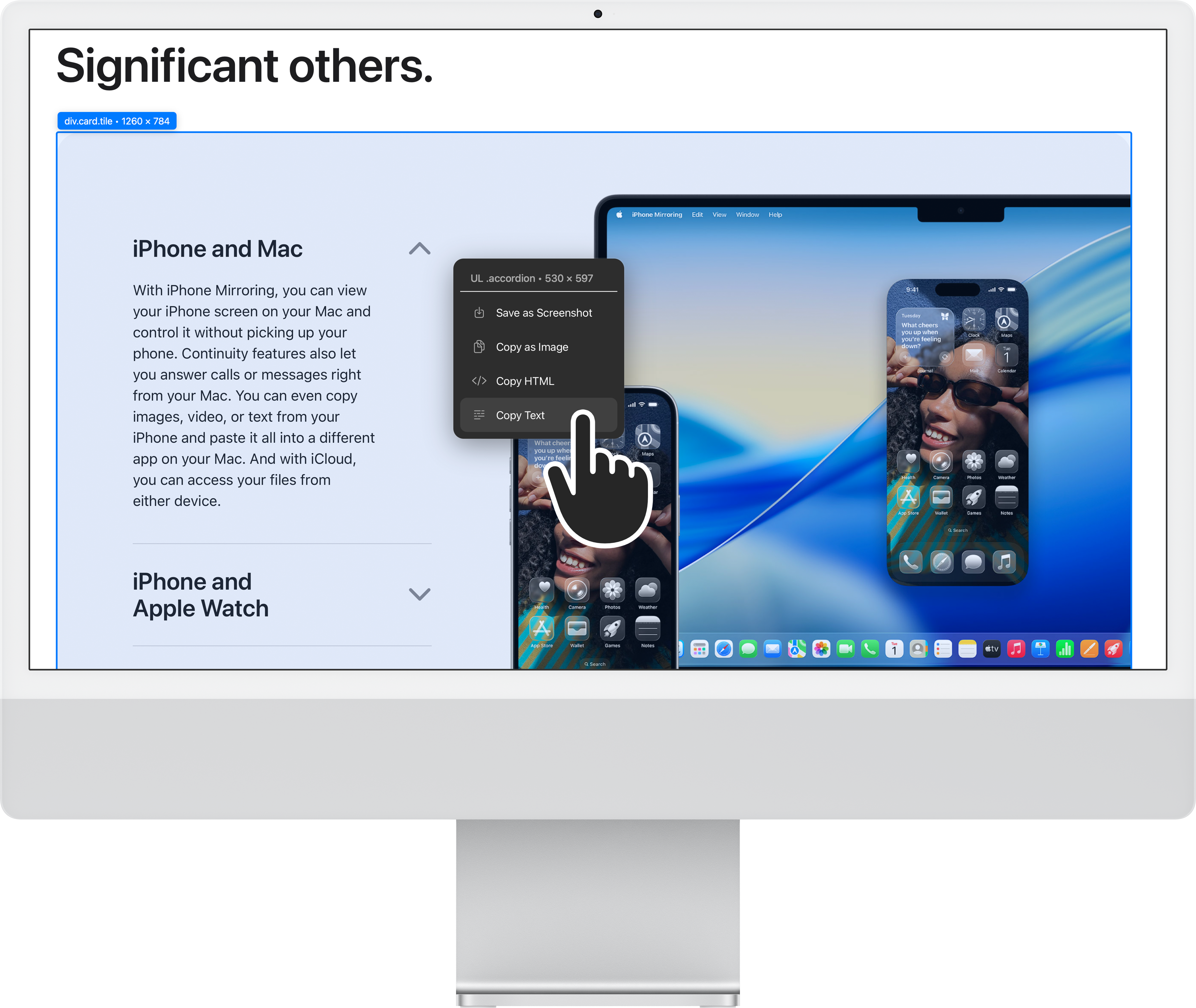
Extract just the text content from any element. Clean, formatted text ready to use anywhere.
Capture any element in just a few clicks.
Click the Safari Capture icon in the toolbar or press ⌘⇧2
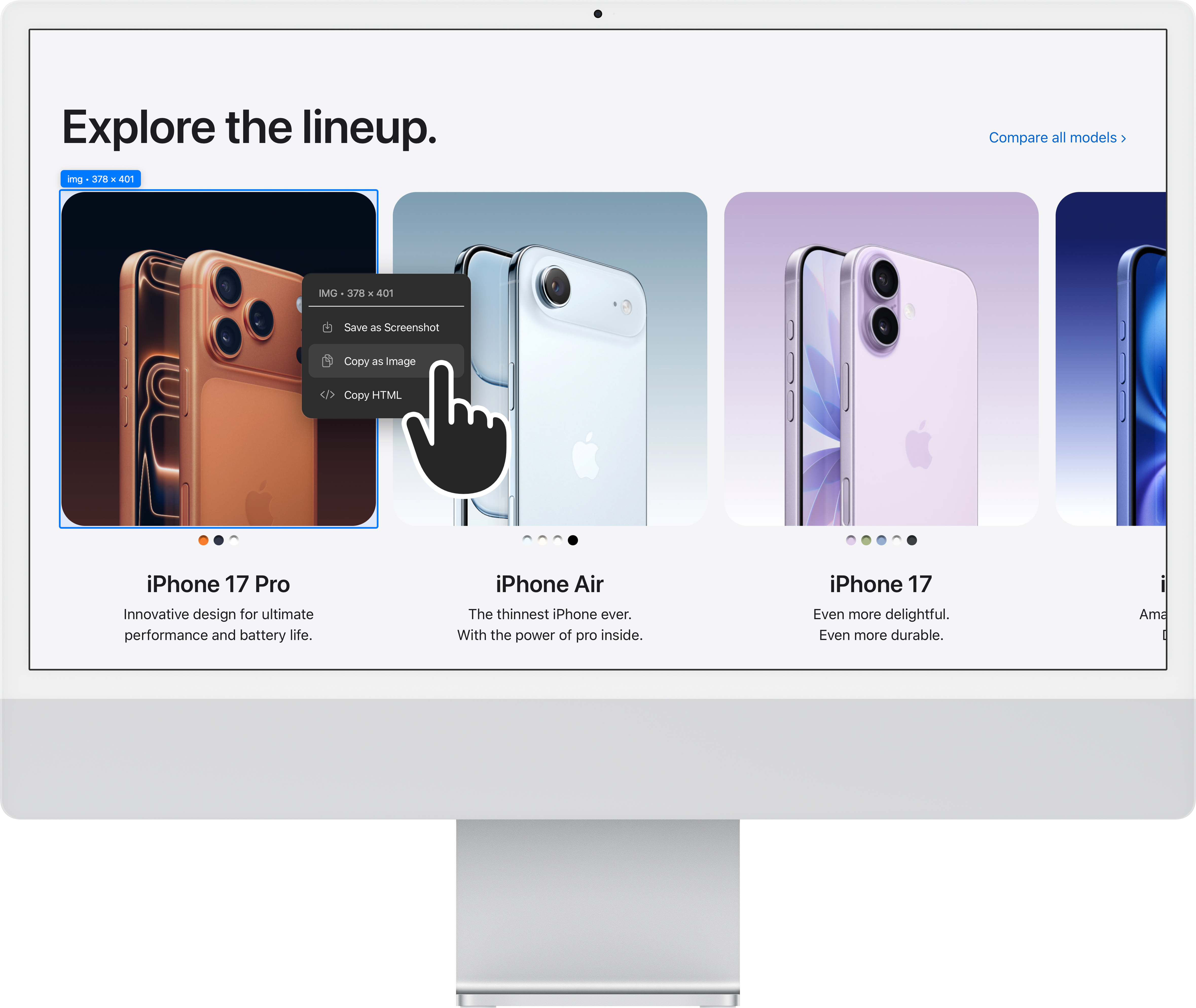
Move your cursor over elements to highlight them. A tooltip shows element details.
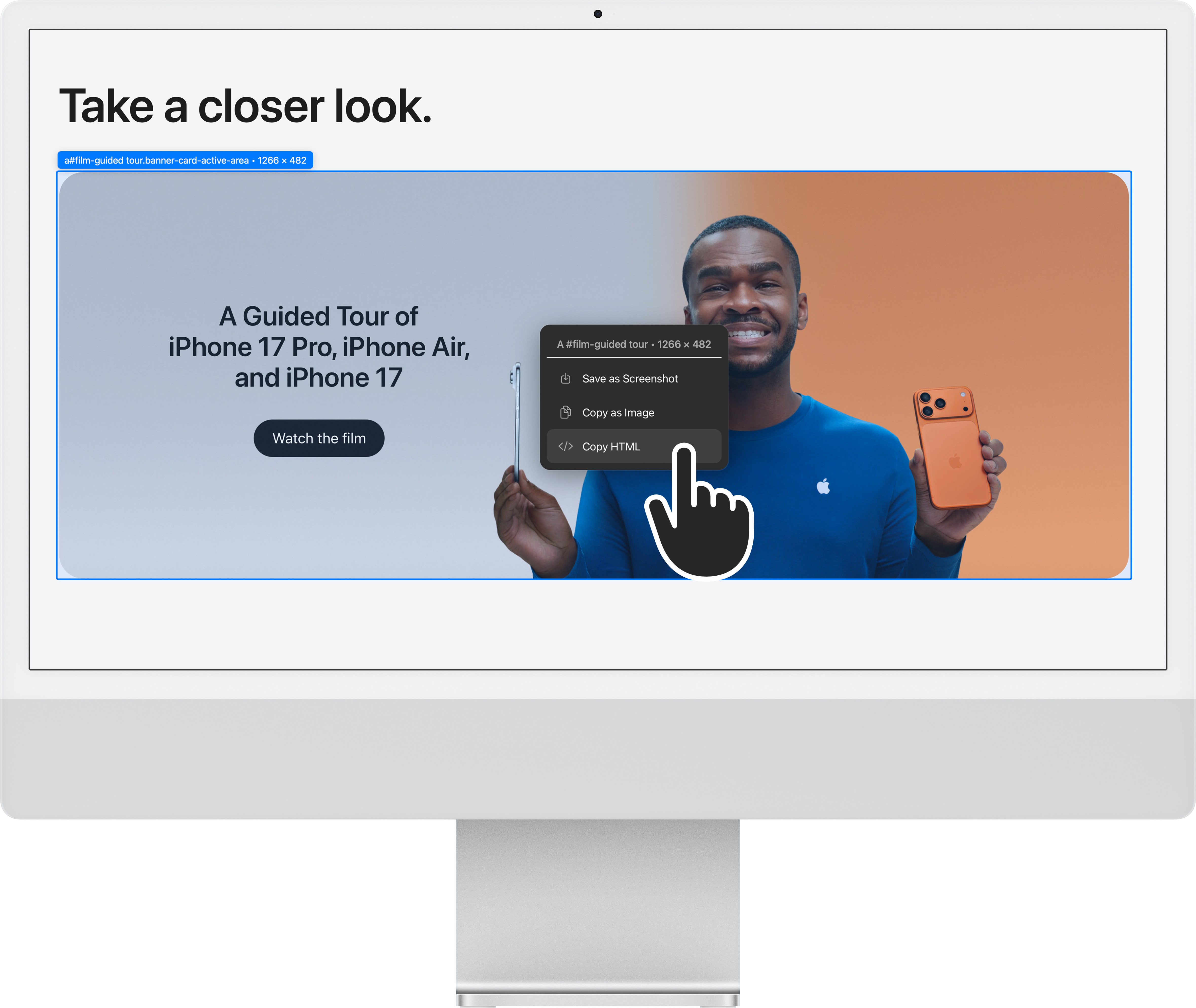
Click to select, then choose your capture option from the menu.
Launch Safari Capture instantly with a keyboard shortcut.
Customizable in Safari's extension settings

Download Safari Capture from the Mac App Store.